Creating a first Roblox experience does not require a huge team, advanced coding skills, or a perfect idea. It requires a small plan you can understand, test, and improve. Roblox Studio gives beginners a practical place to learn building, scripting, interface design, and publishing through one workflow. The smartest starting point is not an enormous open-world game. It is a focused experience with one clear action, such as completing an obstacle course, collecting items, or solving a short challenge. This guide follows that path from concept to release. You will see how to choose a manageable project, use Studio deliberately, test with other players, and prepare a safer launch without promising instant popularity or Robux.
Start With a Small, Clear Idea
Before opening Studio, write a one-sentence promise for the experience. For example: “Players dodge moving platforms to reach the finish in three minutes.” This sentence keeps the project focused when new ideas appear. Sketch the main loop: what the player does, what makes progress, and what creates a reason to try again. Choose a simple setting and limit the first version to one map or a few short stages. A small playable idea is easier to build, test, and explain than a collection of unfinished features. Keep a note of future ideas separately so they do not expand your first milestone.
Learn the Roblox Studio Workflow
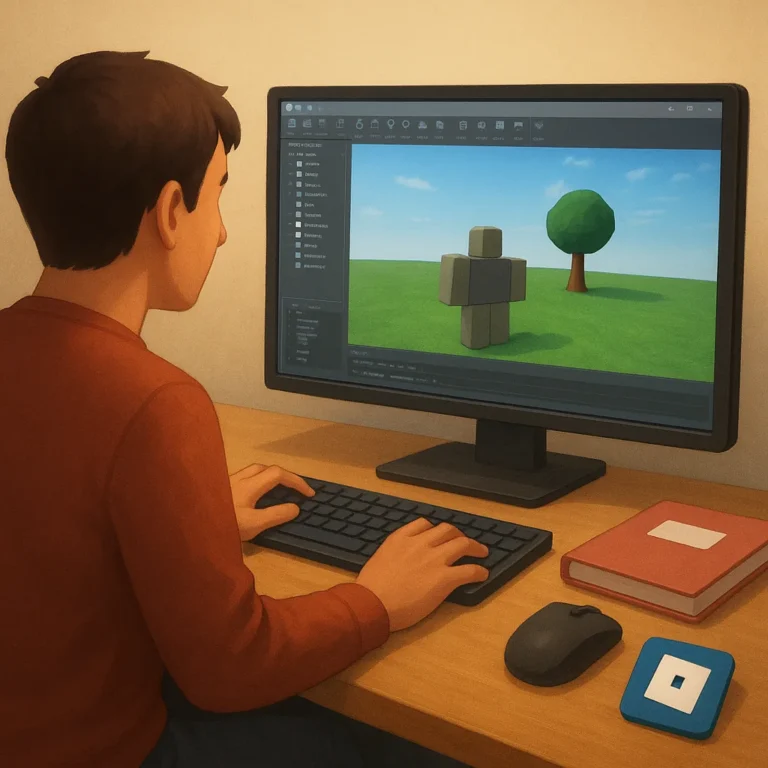
Install Roblox Studio from Roblox’s official creator tools, then spend time learning the basic panels before building. The Explorer shows how objects are organized, Properties lets you change settings, and the Script Editor is where you add behavior with Luau. Start by opening a beginner template and changing one object at a time. Follow official lessons for parts, spawn locations, checkpoints, and simple events rather than copying random code from unknown sites. Name folders and objects clearly as you work. Good organization may feel slow at first, but it makes errors easier to find when the project becomes larger.
Build a Playable First Version
Build the smallest version that proves the core loop works. If your game is an obstacle course, players should be able to spawn, move, reach a checkpoint, and receive a clear finish message before you add shops or special effects. Test basic controls on keyboard and mobile layouts because Roblox experiences can reach players on different devices. Add readable signs, sensible spacing, and a restart option. Use simple sounds and colors to communicate progress, but avoid filling every area with decoration. A reliable five-minute prototype teaches more than a beautiful map that has no working objective.
Test With Real Players
Testing should happen throughout development, not only on launch day. Play the experience yourself after every meaningful change, then invite a few trusted people who can describe what confused them. Watch where they stop, miss instructions, or leave without finishing. Ask specific questions: Was the goal clear? Did anything feel unfair? Could you find the next step? Test private versions before making the experience public, and check server behavior with more than one player. Keep a short issue list with priority labels. Fix problems that block progress first; cosmetic improvements can wait until the basic journey feels dependable.
Prepare a Safe Release
Before publishing, review the title, thumbnail, description, age-appropriate presentation, and privacy settings with care. Explain the experience honestly so players know what they will do when they join. Remove broken links, confusing prompts, and features that collect information unnecessarily. If you add monetization later, make the value clear and avoid pressure tactics, especially for younger audiences. Save backups of important versions and record what changed between updates. After release, monitor feedback and performance, then schedule small improvements instead of promising a massive launch. A calm first release gives you useful evidence for the next build.
Where to continue your research safely
To keep researching, review Roblox Creator Hub Roblox Creator Portal and compare which option makes the most sense for your situation.
Key criteria to compare before you decide
A good decision depends on more than a first impression. Compare total cost, timing, reputation, effort required, and the clarity of the offer conditions. When those criteria are visible together, it becomes easier to tell whether an option solves the problem or only looks attractive at first.
How to use this guide for your next step
Review the criteria before moving forward
How can a beginner plan, build, test, and release a first Roblox experience calls for context, comparison, and patience. Use the points above as a practical checklist: revisit your goal, look for concrete signals, and move forward only when the choice fits your current needs.